Switcher
Free macOS app for anyone running more than one Claude or Codex account. See every limit, keep every account ready, switch without signing out.
Download for macOS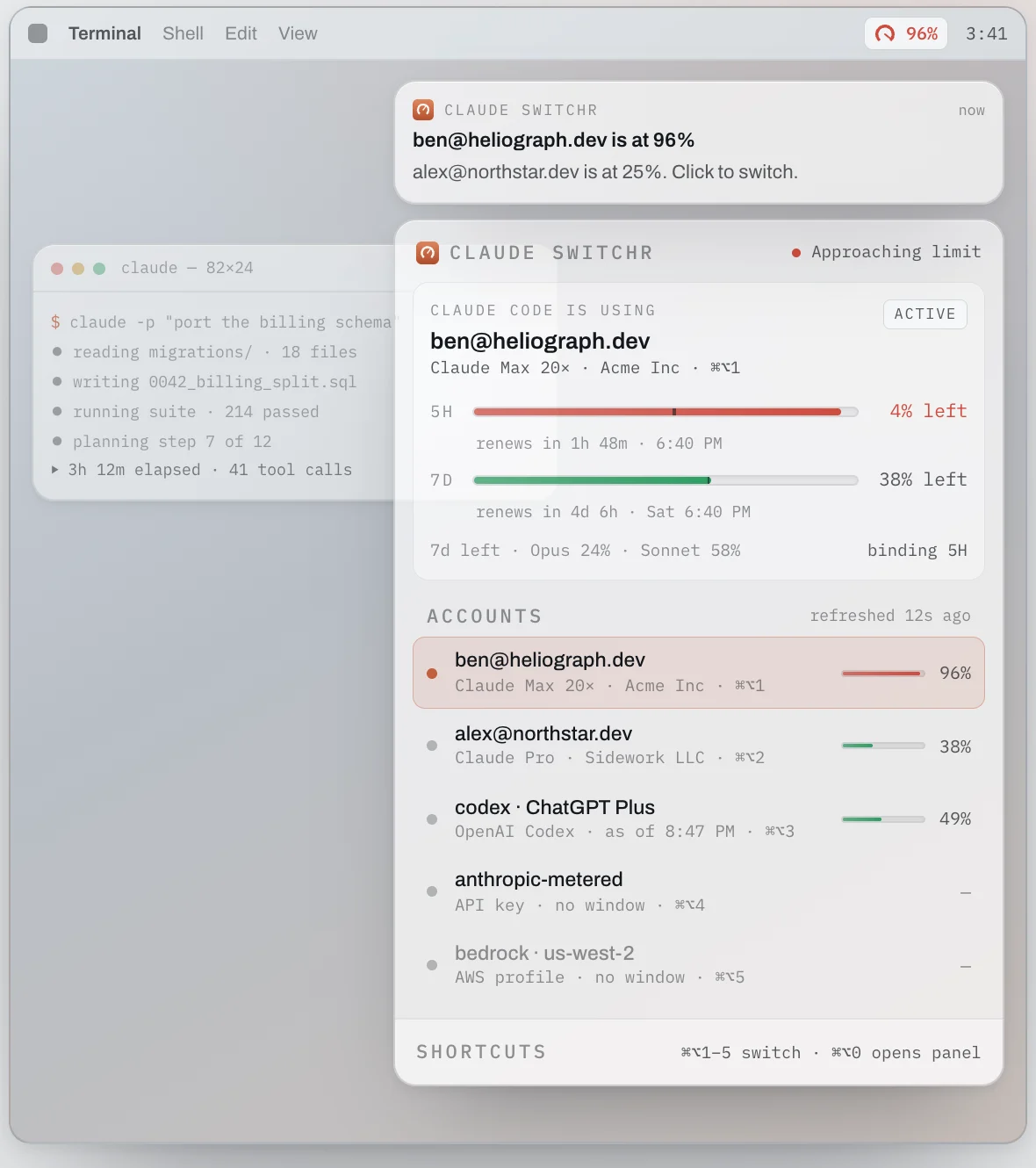
- Free, no account
- Claude and Codex accounts
- Five-hour and seven-day limits
- Switches before 98 per cent
- Credentials stay in your keychain
What it does.
Anyone who builds with Claude Code or Codex all day hits the same wall: a usage limit, in the middle of a job, on the account you happen to be signed in to. If you run more than one account, the work stops while you sign out, sign in and work out which one still has room.
Switcher started as our own tool for exactly that. It sits in the macOS menu bar and reads every Claude and Codex account together, so you can see the five-hour and seven-day limits for each one at a glance and know which limit will stop you first.
An autopilot for your accounts
It does more than show the numbers. Before the active account reaches 98 per cent of its limit, Switcher moves Claude Code onto the next account that has room, so a long job keeps running. It can start the clock on accounts you have not used yet, recover from a sign-in that has broken, and switch on a keyboard shortcut whenever you choose. API keys and Bedrock profiles can sit in the list too, as a paid lane to fall back on.
Free, and nothing leaves your Mac
Switcher is free, with no account and no subscription, and your credentials stay in your Mac's keychain. We built it because it was slowing us down, and we use it every day.
How to get it.
Version 1.0.28, Apple silicon. Free, no account. The first time you open it, macOS may ask you to allow it in System Settings, Privacy and Security.
Also from us.

 Product Barrii: introducing the room The connection-maker for live events. Guests join on their phones, Barrii pairs them by what they need and what they can offer, and the host runs the rounds. Built for Startup Social, Sheffield's founder night. Open
 Product Planit Teachers: the whole lesson, written for you Type what you are teaching and the year group. Planit Teachers writes the whole lesson: slides, worksheet, homework and teacher notes, for every subject from Reception to Year 13. Open
 Straight to the founders